A personal operating system
Capture first.
Organize later.
The quiet place for everything on your mind. Write freely. CoreOS keeps the original safe, then lets AI put it where it belongs.
Local-first by design · Personal V1
Cualquier cosa
Tomorrow call the workshop to ask for an appointment
The principle
Most tools ask you to organize before they let you save.
That tiny decision is enough to make a thought disappear. CoreOS removes it. There is one place to put something down, and time to decide what it means later.
Write the thing down. Keep the thing safe. Let the system do the sorting.
The quiet machinery
A simple order of operations.
CoreOS is deliberately boring in the best way: capture is immediate, organization is asynchronous, and your words are never rewritten to make the system look smarter.
- 01free-form text
Capture
Type whatever is in your head. No folders, forms, or decisions required.
- 02on-device first
Persist locally
The raw capture lands in SQLite on your device before any AI call is made.
- 03retryable
Classify with AI
When the system is ready, a model suggests the domain and useful metadata.
- 04five domains
Organize automatically
Your original words arrive in Notes, Tasks, Expenses, Habits, or Sleep.
Inside CoreOS
A calmer interface for a noisier life.
Three places you return to: what needs attention, what you want to capture, and what you have kept.
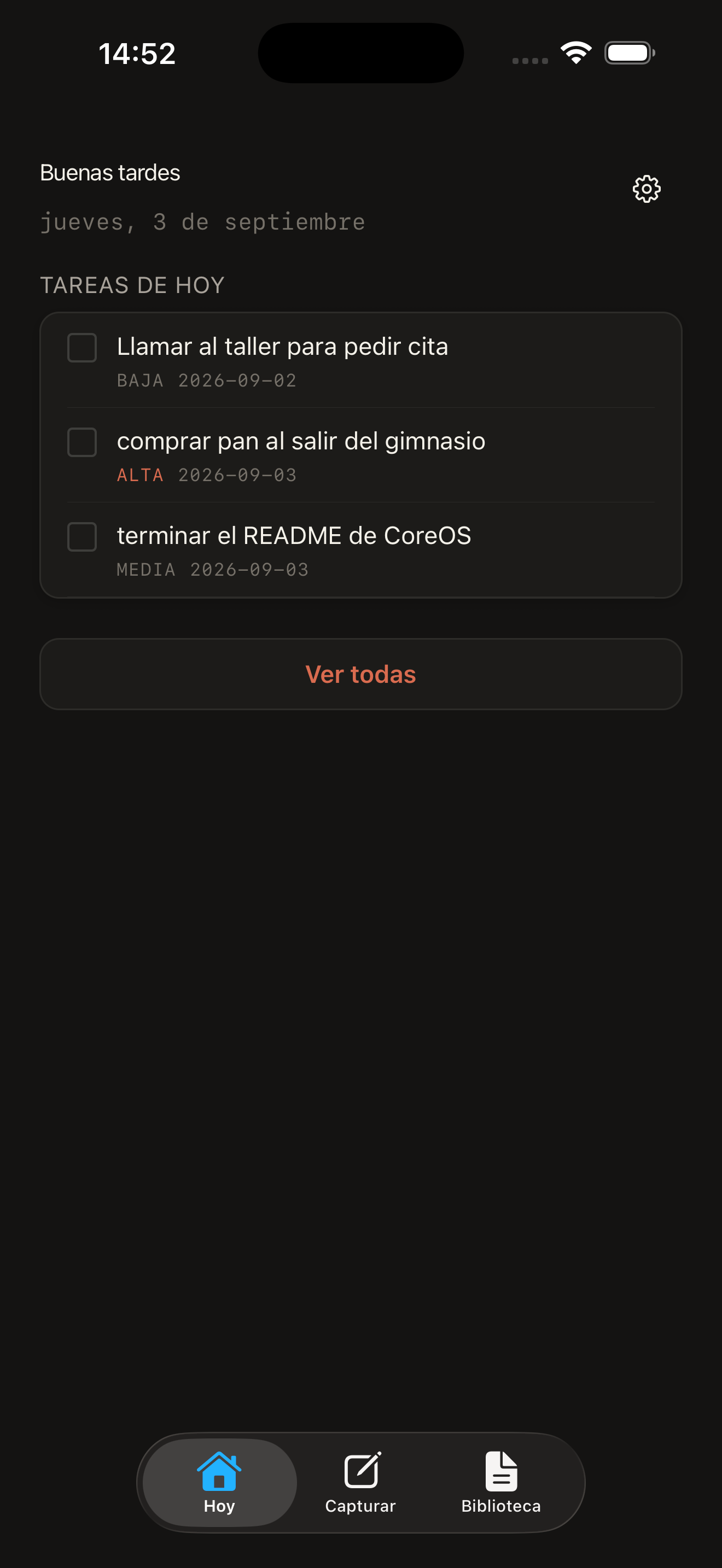
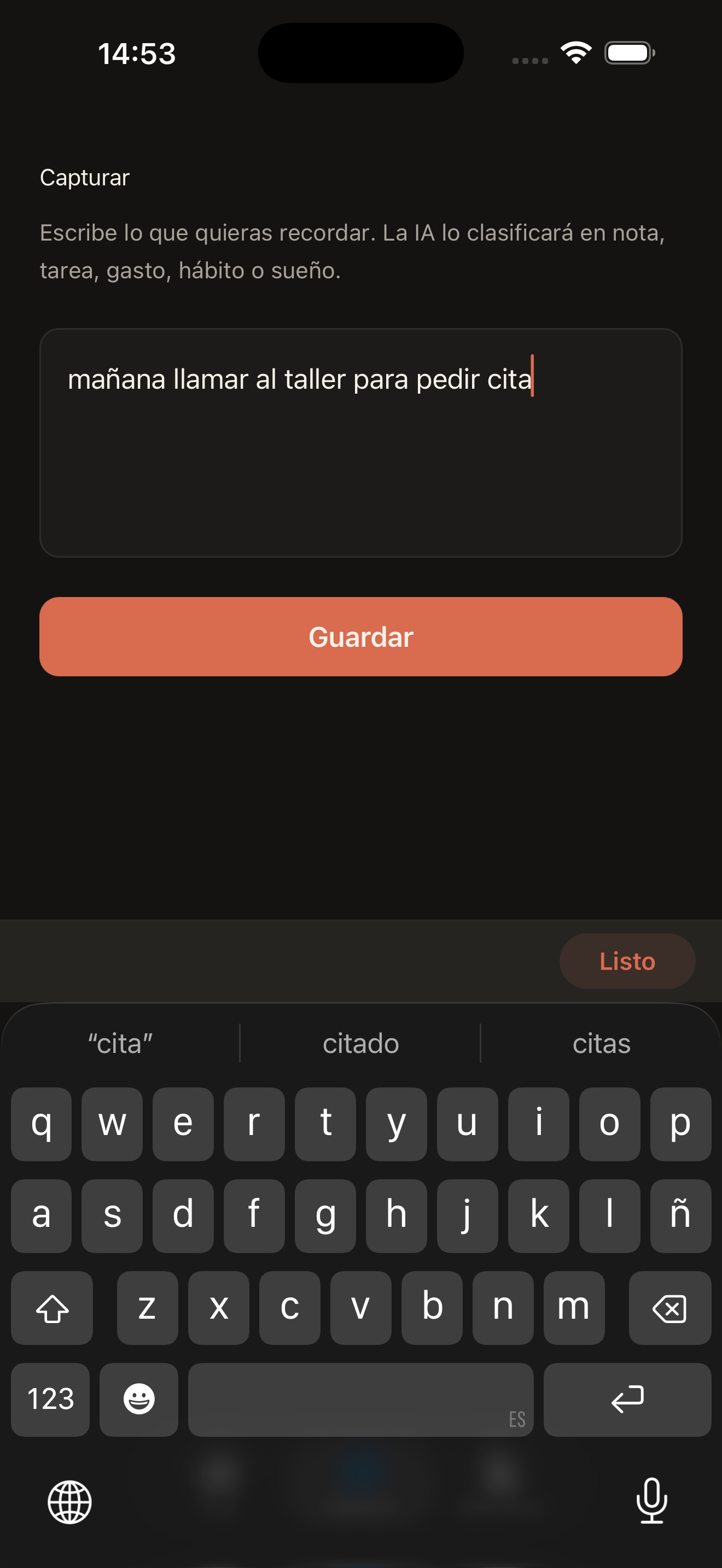
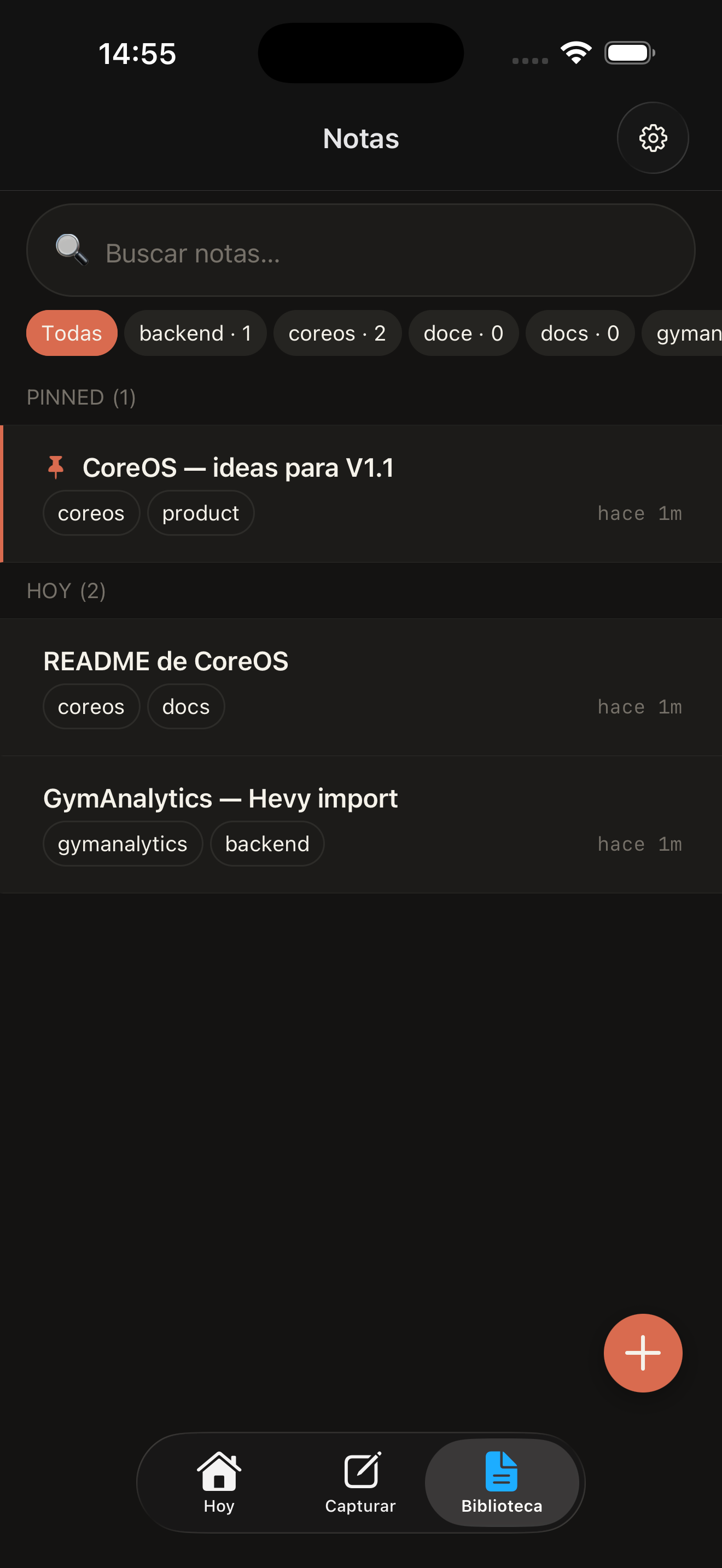
One inbox, many lives
A place for the whole picture.
Notes are only the beginning. A single capture can become whatever kind of record it needs to be, without making you choose up front.
The local-first promise
Your second brain should not need a second account.
CoreOS is built for one person, on one device. The database lives locally. Your key lives in secure storage. If the model fails, your original capture is still there waiting.
- SQLite on deviceYour data lives where you use it.
- No backend. No account.No remote service sitting between you and your notes.
- Capture never gets lostAI can fail. The original text does not.
Roadmap
Shipped is only
the beginning.
An honest snapshot of where CoreOS stands: what already works, what is being built now, and the direction the product is heading. No dates — the roadmap moves at the pace of real usage.
- Shipped
Foundation
The core loop works end to end: capture, persist, classify, organize.
- Quick text capture
- Capture from other apps
- Local persistence before any AI call
- Classification into notes, tasks, and personal domains
- Recovery of pending captures
- Configurable AI providers and models
- Tests covering the critical pipeline
- Building now
Capture Everywhere
v0.2Capture should survive leaving the app. Voice joins text.
- Voice capture
- Reviewable transcription before sending
- Feedback on the destination of each capture
- Dogfooding and end-to-end reliability
- Up next
Knowledge Library
v0.3Notes become the center of gravity of the system.
- Notes as the primary unit
- Optional sections and collections
- Global search
- Progressive organization
- Related Notes through semantic and manual links
- Exploringno dates
Ideas with real pull. They may change shape or wait their turn.
Personal Domainshabits · finances · healthRich Notes+ Apple PencilStructured Datalight databasesKnowledge Graphconnected thoughtsPersonal Homeone calmer dashboardDesktopmacOS
Last updated · September 2026